Submit a product
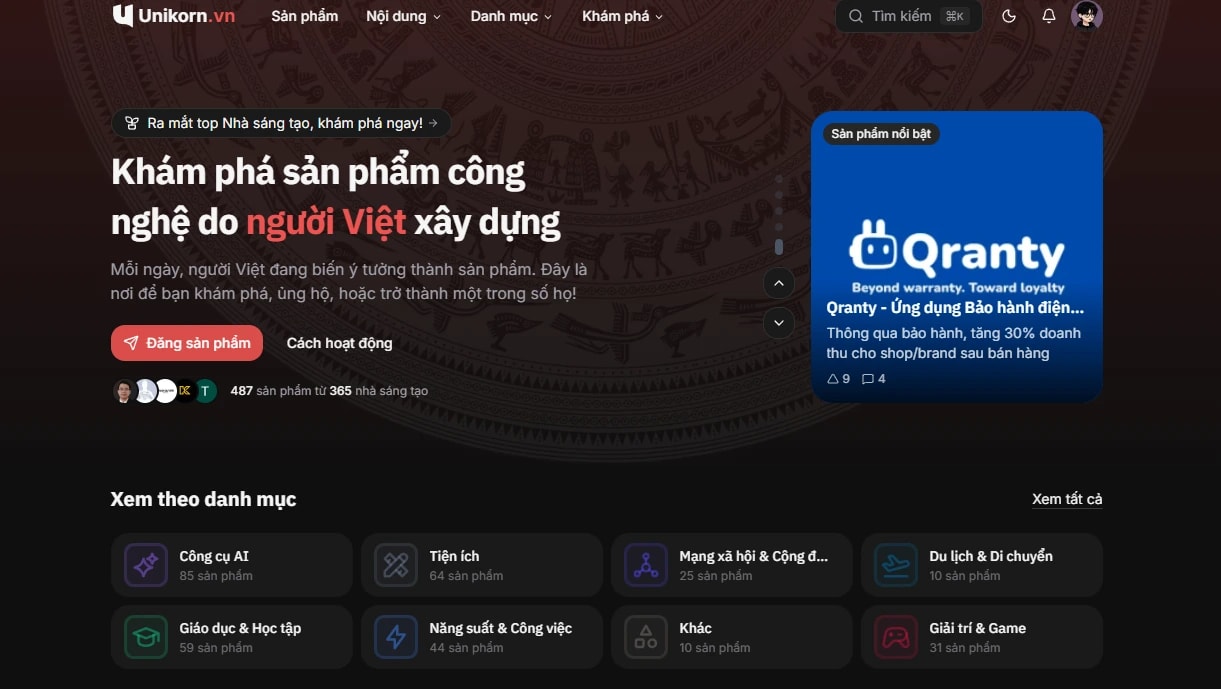
Sign in and go to Submit a product. Paste the product URL, and Unikorn tries to pull the name, description and images for you to edit. Once submitted, the product waits for review.
Review criteria
Every product gets an AI check first, then an admin looks at anything that is not clear-cut. A product is approved when it meets the criteria below.
It is a specific tech product
An app, website, SaaS, tool, open source project, hardware, AI product, game or browser extension. Company pages, agency services, personal blogs and job listings are not approved.
The details are complete
- Name: just the product name, kept short. No description after the name, and no words like "GitHub", "App Store" or "Chrome Extension".
- Tagline: one short line on what the product does, without repeating the product name.
- URL: reachable.
- Logo and images: clear and actually showing the product.
The description has real content
The description has to meet the minimum length the form asks for, and it is scored on content, so repetition or padding to reach the length counts against it. A good description answers six points, and the form shows this checklist while you write:
- What the product is and what kind of thing it is (app, website, game, extension, API, hardware...).
- The problem it solves or the experience it offers.
- Its main features, stated concretely.
- Who should use it.
- Which platforms it runs on and how to get started.
- What makes it different from existing options.
It is legitimate
A product is rejected if it is spam, a test post, a duplicate of an existing product, a clone posing as the official product, inappropriate content, or a tool for buying fake engagement, impersonating people or bypassing login systems. See the community guidelines.
After approval or rejection
- Approved products go live on the home page in the next launch at midnight.
- Rejected products come with the reason in the notification. Edit the product and submit it again.
- After launch, some major changes, such as a new URL, may need another review.
Claim a product
If someone else already submitted your product as a hunter, you can take over managing it:
- Open the product page and click Claim ownership.
- Send proof that you built or represent the product, such as a team page on the product's website or a linked social media account.
- An admin reviews the request. Once approved, you become a maker of the product and can edit its details.
If the request is rejected, you can send it again with clearer proof.
Embed badge
Once your product has launched, open the share button on the product page and choose Embed badge to get an HTML snippet for your website. The badge shows "Featured on Unikorn.vn" with the product's current points and links back to the product page on Unikorn.
- Pick the light or dark style to match your site.
- If the product reaches the top for a day, week, month or year, you get a matching rank badge as well.
- Products that win a contest get a badge for that contest.
Feedback, roadmap and changelog
Feedback
Every product has a feedback section where users report bugs, request features or suggest improvements. Other users vote on the feedback they also need. You reply to each item and set its status and priority from the dashboard.
Roadmap
The product roadmap is built from feedback status: reviewing, planned, in progress and completed. Users check the roadmap to see where their request stands.
Changelog
After launch, post a changelog each time you ship. When you post, you can attach the feedback items you resolved, and they are marked as completed. People who upvoted, commented on or follow the product get notified about the update.
Receive support
Users can buy you a coffee through VietQR. To turn this on:
- Go to the Support section of the dashboard.
- Turn on support.
- Add your bank, account number and account holder name so you can receive withdrawals.
- Pick the item you want shown as the main option on your profile.
Support lands in your Unikorn wallet once the payment is confirmed. You create a withdrawal request from the wallet, and an admin processes it and transfers the money to your bank account. Fees, the minimum withdrawal and the refund policy are in the payment policy.
Points and ranking
Products earn points from weighted upvotes and other interactions, and are ranked by day, week, month and year. See ranking, vote weight and points.
Questions about launching? Email [email protected].