Auto-translated ·
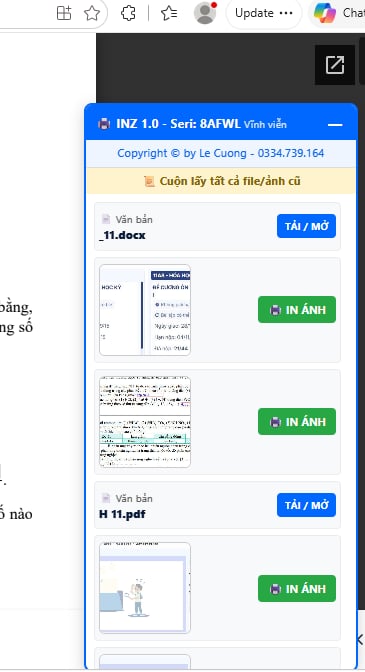
LC - INZ Extension (Quick Print on Zalo) is a browser extension that helps printing houses, photocopy shops, and graphic designers print images and documents directly on the Zalo Web interface without needing to download files to their computer.
Problem it solves:
Eliminates the cumbersome manual process of receiving files through Zalo (downloading each file to the computer -> finding the saved folder -> opening the software -> clicking print -> deleting junk files), saving time and avoiding the loss or confusion of customer orders.
Main features:
- Direct printing without downloading: Click the print command for images and documents right within the Zalo Web chat frame with just a click, without filling up the computer's hard drive.
- Intelligent extraction: Automatically recognizes customer names along with high-quality images and original files on Zalo Web for accurate print order management.
- Optimized processing workflow: Minimizes intermediary steps, shortening the time from receiving the files sent by customers to printing.
- Smooth operation, lightweight: Neatly integrates into the Zalo Web interface, not slowing down the browser and securing local data.
Target users:
Quick print shops, printing and photocopying stores, office service shops, designers, and sales staff who regularly receive print files from customers via Zalo Web.
How to get started:
Supports Chromium-based browsers (Microsoft Edge, Google Chrome, Cốc Cốc). Download the compressed file, extract it -> access the extension management page (edge://extensions or chrome://extensions) -> enable Developer mode -> select Load unpacked and point to the folder containing the extension.
Difference:
Instead of having to download and store files locally before opening them with third-party applications as in traditional methods, the LC - INZ Extension connects directly to customer recognition and print commands right on Zalo Web, turning the browser into a super-fast printing processing station.
t/lc-inz-ex
More from CICI UNITY

CICIAN
Cẩm Nang Chữa Lành
501
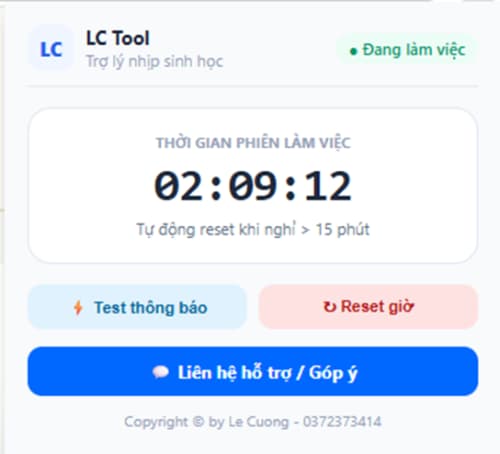
LC-Extension
Tự động thông báo thời gian sử dụng máy tính & gợi ý mẹo giữ sức khỏe!
492

THE HACKER MANGO PYTHON EDITION
Python edition đã ra mắt chính thức bản 1.0
292

NeonCiCi
Neon Game World
552

CICI 360 BLOG
Gói trọn tâm tư trong không gian riêng tư và kết nối cộng đồng
414
LC-Focus
Giữ trọn sự tập trung cho công việc quan trọng
373
Related products

FB AIO
All in one toolbox for manage your Social Media
39329

FlipLab Translator & Vocabulary Saver
Dịch thông minh, đọc báo song ngữ và lưu từ vựng tức thì.
879

ToolHub
Bộ công cụ online miễn phí trên trình duyệt
9922

Poke Finder
Thu phục Pokémon trên browser
756

KiraApp
Hệ sinh thái tiện ích số thế hệ mới
331

LingoFlow
Gõ văn bản trực tiếp. Dịch ngay lập tức. Không cần chuyển đổi tab.
301






Reviews & comments