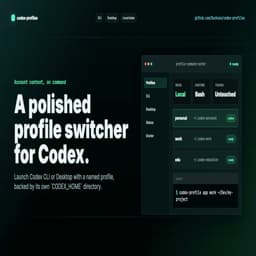
codex-profiles is a dependency-free Bash CLI for developers who use Codex CLI or Codex Desktop across more than one account, team, client, school, or experiment. It launches Codex with a named CODEX_HOME so each profile keeps its own auth, config, sessions, connectors, plugins, caches, logs, and Desktop state.
Use it when personal, work, school, client, and test Codex contexts need to stay separate without copying auth.json tokens or mixing local Desktop state.
Current release: v0.6.0.
Install:
npm install -g codex-profile
brew install Ducksss/tap/codex-profile
curl -fsSL https://raw.githubusercontent.com/Ducksss/codex-profiles/main/install.sh | sh
nix run github:Ducksss/codex-profiles
Quick start:
codex-profile init personal
codex-profile init work
codex-profile login personal
codex-profile login work
codex-profile cli personal
codex-profile cli work exec "run tests and summarize failures"
codex-profile app personal ~/Dev/my-project
codex-profile app work --instance ~/Dev/client-project
Highlights:
- one CODEX_HOME per profile: default -> ~/.codex, work -> ~/.codex-work
- CLI workflows on macOS and Linux
- Codex Desktop launch on macOS
- opt-in parallel Desktop windows with app --instance
- profile diagnostics with list, status, doctor, and logs
- in-shell activation with env, shell-init, and use
- safe non-secret config cloning with clone-config
- JSON output and shell completions for automation
- source-style upgrade with dry-run preview
- AI-readable project page, llms.txt, robots.txt, sitemap, and GEO docs
Security boundary:
codex-profiles does not read, copy, print, parse, or migrate auth.json tokens. It only sets CODEX_HOME before launching Codex. It separates Codex local state, not the whole OS: SSH keys, GitHub CLI auth, browser cookies, keychain items, npm state, and git credentials still belong to the same OS user.
It is MIT-licensed, community-maintained, and not an official OpenAI project.
Maintained byCChai Pin Zheng







Reviews & comments