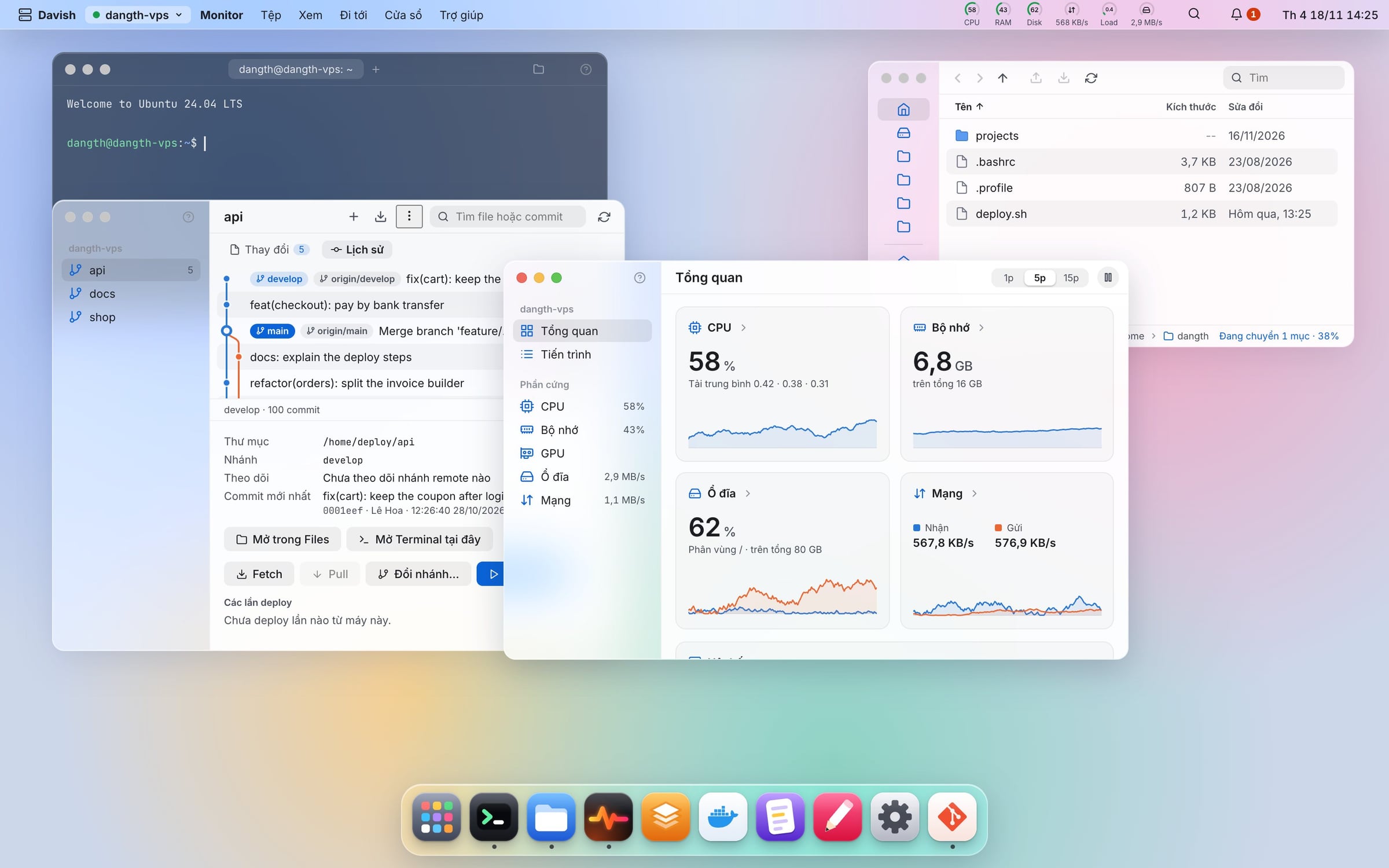
What is the product Davish is a desktop application for managing Linux servers via SSH, with an interface similar to a macOS operating system: menu bar, Dock, and drag-and-drop windows. Each server is a separate "desktop," which opens up for immediate work.
Problem solved Managing VPS often requires switching back and forth between terminal, SFTP tools, web panels, and numerous hard-to-remember commands. Web panels (cPanel, aaPanel, etc.) require additional agents to be installed on the server, opening ports and consuming resources. Davish combines everything into one place without installing anything on the server: only requires available SSH and SFTP.
Main features
- Multi-tab Terminal, Finder-style Files (drag and drop, copy files between servers), Configuration file Editor.
- Manage Docker, systemd services, Nginx, Cron, databases (MySQL, PostgreSQL, MongoDB, SQLite), Git, logs, ports, and tunnels.
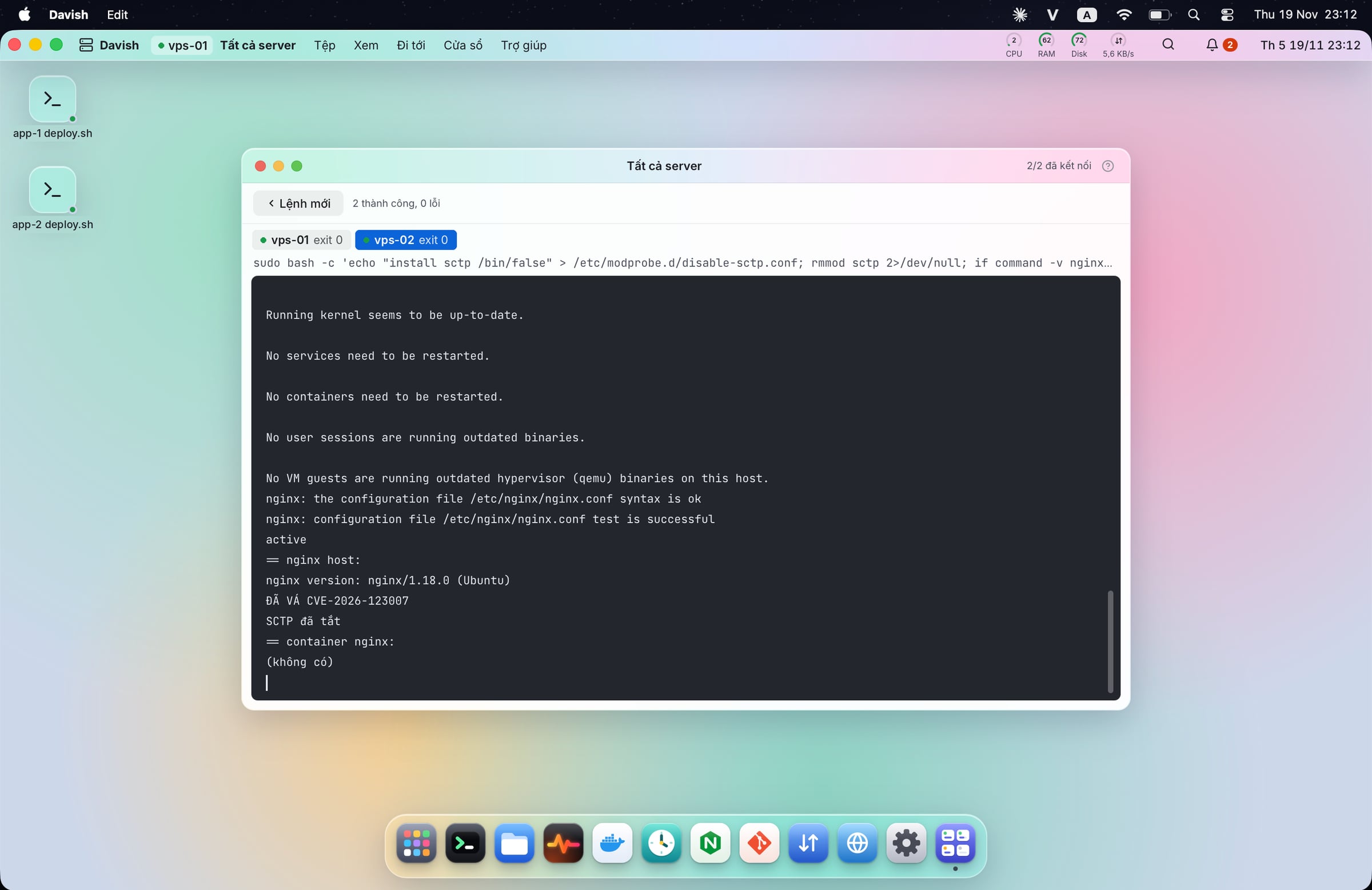
- Monitor CPU, RAM, disk, network; see who is attempting to guess SSH passwords; run a command on multiple servers simultaneously.
- All dangerous operations display the correct command that will run before execution; passwords are stored only in the machine's keychain.
- Over 20 apps in one desktop, with interfaces in Vietnamese, English, Chinese, and Spanish.
Real-world usage
- Deploying Node.js apps to VPS: Add the server from ~/.ssh/config. Open the Git app to pull new code, then restart the service in systemd or Docker. Logs appear in real-time in the adjacent window, so any errors are visible immediately. You don’t need to open the terminal or retype familiar command strings.
- Freelancers managing servers for clients: Each client has a separate desktop. You can quickly check CPU, RAM, disk and see immediately if someone is trying to guess SSH passwords. When security updates are needed, you run a command on all servers simultaneously. Afterwards, export the executed commands as a script to send to the client or save for handover documentation.
- Beginners learning Linux: Open the Nginx or Cron app to see what the server is configuring. Before each action, Davish displays the exact command that will run, so over time you will naturally learn the real commands.
Who should use it Programmers deploying apps to VPS, freelancers managing a few servers for clients, sysadmins and DevOps of small teams, and beginners learning Linux who want to clearly see what the server is running without memorizing all the commands.
How to get started Runs on macOS 12 and above, Windows 10/11, and Linux. Download the installer at davish.dangth.dev (or GitHub Releases), install, and add a server using the IP address and SSH key (or password), or import directly from ~/.ssh/config. The server only needs OpenSSH. Free, open source (GPL-3.0), self-updating.
Key differences Unlike web panels, Davish does not install agents, does not open new ports, and does not have a web login screen that can be attacked. When not in use, Davish takes up no resources on the server; when connected, it only uses the SSH session as usual.
Unlike conventional SSH tools (Termius, MobaXterm), Davish goes beyond the terminal and transforms the server into a desktop with specific apps for each task. All commands are transparent, logged, and can be exported as scripts.






Reviews & comments