Auto-translated ·
Minimal Vibe Coding Kit: a one-time AI-coding workflow kit for Claude Code, Cursor, and Codex. Every repo, every language.
It provides all three tools with a common "central control panel": rules, skills, commands, along with a backbone.yml that describes the project so that every agent understands your repo in the same way. It never overwrites your file; it just adds a managed block and waits for your approval before writing.
Some available skills:
- parallel-analysis: splits 2–5 lanes of analysis to run parallel read-only across the repo, then merges and verifies results, very suitable for large diffs and whole repo questions.
- agentshield-security-review: reviews the overall agent (rules, skills, hooks, MCP) before merging, guarding against prompt injections and potential threats.
- path-sensitive-shell-safety: blocks dangerous shell commands so that an empty or overly broad variable never reaches the rm command (avoiding mistakes that could lead to deleting the entire repo or data).
- clearthought & sequential-thinking: breaks vague requests into small, easy-to-review steps.
- coding-level: selects the level of explanation from 0 (ELI5) to 5 (expert) — and is maintained across sessions (suitable for all coding skill levels).
- autoresearch-coding: loops based on metrics, keeping only measurable improvements, enhancing any issues with repeat attempts, measuring trials and comparing to get the best attempt to improve your project.
Integrated guardrails: suggestions before writing, protected paths, and safe deletion (preferring trash over rm), the trash command will move files, folders, or components to the trash instead of permanently deleting them like the "rm" command and can be put back when needed.
How to install in one hit, real fast, folks ^^ :npx --yes minimal-vibe-coding-kit@latest install /path/to/your-project
Where `/path/to/your-project` is the path to your project (repo) folder, folks.
Feel free to star my GitHub if it's helpful, folks; if it's not helpful, no need to star it, folks.
Latest updates
v0.5.7
LatestProofline skill1 months agoMinimal Vibe Coding Kit: v0.5.7 - Proofline
----
Proofline: để AI không tự làm rồi tự chấm
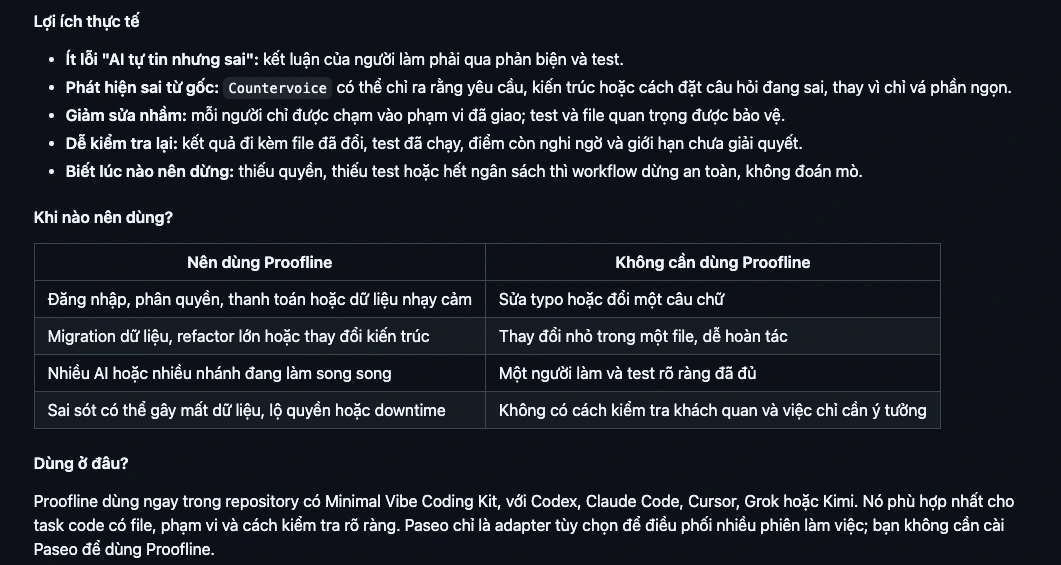
Nói ngắn gọn: Proofline tổ chức nhiều AI thành một nhóm có người làm, người kiểm tra và người giữ điều kiện nghiệm thu. Mục tiêu là giảm tình huống một AI tự chọn cách làm, tự sửa code rồi tự kết luận rằng mọi thứ đã đúng.
Hãy hình dung bạn sửa một căn nhà. Bạn không muốn người thợ vừa thi công điện, vừa tự kiểm tra an toàn, vừa tự ký biên bản nghiệm thu. Với việc code quan trọng cũng vậy: người làm và người phản biện nên có trách nhiệm khác nhau.
Mỗi vai trò giống ai ngoài đời?
Vai trò:
- Owner: giống như "Chủ nhà hoặc chủ sản phẩm" -> nói rõ cần gì và giữ quyền quyết định cuối cùng
- Wayfinder: Giống như "Quản lý công trình" -> chia việc, giao phạm vi và ghép kết quả
- Maker: Giống như "Người thợ" -> thực hiện đúng phần việc được giao
- Countervoice: Giống như "giám sát độc lập" -> tìm giả định sai, lỗ hổng và bằng chứng mâu thuẫn
- Verifier: Giống như "người đo kiểm" -> chạy test hoặc phép đo khách quan
- Keeper: Giống như "người giữ checklist nghiệm thu" -> Chỉ ghi nhận hoàn tất khi đủ điều kiện
V0.5.4 -> 0.5.6:
- Bổ sung Skill "the-creator" : "Creativity doesn't end when you make something"
- Bổ sung skill "graph-engineering-verified-orchestration"
- Cải thiện mermaid chart và tutien skill
- Bổ sung skill "threat-model-security-review"
Maintained by442 C3 B9 69 20 56 C4 83 6E 20 47 69 61 6E 67
More from 42 C3 B9 69 20 56 C4 83 6E 20 47 69 61 6E 67
Related products

Merid
Học tiếng Anh ngay khi lướt web tiếng Việt
22933

SnapWall
Nền tảng chia sẻ ảnh thời gian thực
491

Aevum OS
Standalone MCP Server & Bộ não Ngoại vi Không gian Làm việc
2535
WiseTech
Tìm laptop chuẩn cho bạn trong vài câu hỏi
11528
Dev Vibe Agent
Tra Cứu Nhanh Lệnh CLI Và Thiết Lập Chuẩn AI Agent Trong Antigravity
7312
Pudo
Agent Skills and Structured Prompts for Scalable Development
12813

Reviews & comments